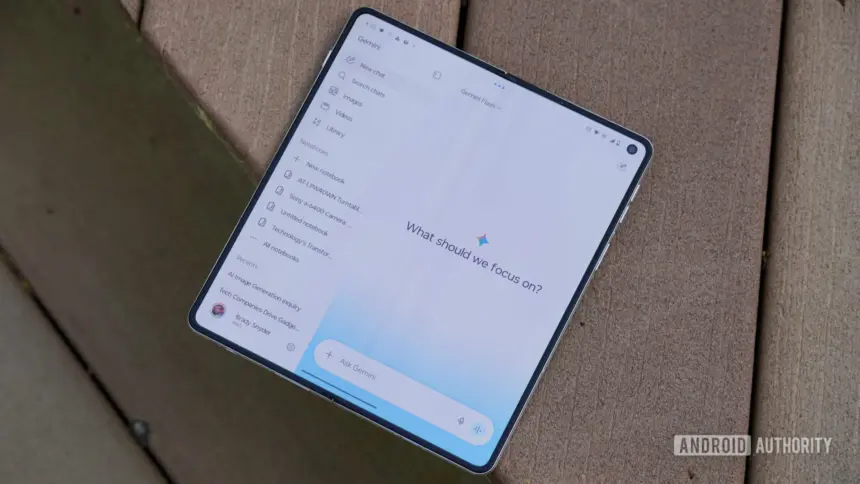
Google rolled out native Gemini document editing on Wednesday, allowing users to generate, preview and revise text files, presentations, spreadsheets and code directly inside conversations. The update eliminates the requirement to switch to separate software to tweak generated material, expanding Gemini from a draft generator into a working workspace.
Key points
- Gemini users can now preview, edit manually in full screen, and prompt revisions directly inside chat threads.
- PDF editing and preview are available on both web and mobile, while other formats are restricted to the web.
- The feature supports Google Docs, Google Sheets, slide decks, Markdown, plain text, and code files.
- All users across all supported languages gain access immediately without a tiered rollout.
How in-chat document editing works
The new toolset turns generated files into interactive objects within the conversation. When Gemini produces a file, users can open an in-place preview or expand the document into a full-screen view. Inside that full-screen window, users can type edits manually, treating the window like a standard word processor or text editor.
Users can also select specific portions of text or individual elements to trigger targeted AI edits. For instance, a user can highlight a table and ask Gemini to turn it into a graph, or select a paragraph to rewrite it for tone or clarity. Gemini can adjust text and visual elements within the file while keeping the surrounding content intact.
Google explained the mechanics in a post on its news blog, pointing to workflows such as turning handwritten study notes into a structured PDF. Once the app builds the study guide, the student can edit specific sections by hand, highlight complex passages to request clearer breakdowns, and ask follow-up questions within the same interface.

Web and mobile format differences
Google has applied different file format restrictions depending on the device used to access the assistant. Users on mobile devices can preview and edit PDFs within the Gemini app. The company has restricted all other file formats to the desktop browser interface for the time being.
On the web, Gemini supports a wider variety of file types. Users can generate, view and edit Google Docs, Google Sheets, slide presentations, Markdown files, plain text documents and code snippets. This split means broader file revisions for office work and programming remain anchored to desktop screens.
Despite the split between operating systems, Google confirmed that availability is worldwide. The editing tools are live for all users in every language where the Gemini application is supported, without any staged access tiers or waiting lists.
Building on April file generation tools
The release marks the second stage of Google’s effort to handle files entirely within chat. The company first introduced exportable file creation when it announced on April 29, 2026 that Gemini could output documents from a prompt.

That April rollout let users create files such as Microsoft Word documents, Excel spreadsheets, CSVs, rich text, LaTeX, Markdown and Google Workspace files. However, those files operated primarily as export targets. Users had to download them to a local drive or send them directly into Google Drive before making any alterations.
Maryam Sanglaji, group product manager for the Gemini app, oversaw that initial April launch to eliminate manual copying and pasting between browser tabs. The latest update completes that transition by keeping the revision phase inside the chat box itself.
The expansion also fits alongside Google’s broader strategy of unifying its productivity tools with AI. The company recently linked external services through its Google launches Connected Apps Platform for Gemini and Search, aiming to reduce the friction of handling data across separate applications.
The competitive race for AI workspaces
Integrating direct editing into conversational interfaces reflects a wider industry trend toward all-in-one workspaces. Earlier this year, rival Anthropic rolled out an interface feature that lets users generate, view and edit documents and presentations side by side with Claude chats.
Google already provides access to Gemini within Google Docs, Sheets and Gmail through sidebar panels. Bringing full-screen manual editing and highlighted prompting into the consumer Gemini app targets users who do not work inside paid Workspace enterprise environments.
Code editing within the conversation also complements Google’s work on developer-focused models. Following the release of specialised systems like Gemini 4 Carbon launches with focus on code and cyber defence, in-chat editing provides engineers with an immediate scratchpad to adjust scripts without copying code blocks into external integrated development environments.
Google has not announced a timetable for bringing non-PDF formats such as Docs or spreadsheets to the mobile application. For now, mobile users must continue using the web version of Gemini on desktop computers if they need to edit spreadsheets or code in chat.